
Golf Simulator FAQs

Buying from Garage Golf
Zero markup, covering everything from free consultations to full Garage Golf Build Plans, financing and how to save.

Why buy from Garage Golf instead of straight from the manufacturer?
Garage Golf is an authorized reseller with zero markup, so you pay the same price you would pay the manufacturer. We're paid through the reseller margin the manufacturers give us, not by adding anything to your price.
What you get on top is unbiased advice across every brand we carry from a team that has helped more than 1,000 golfers since 2017, plus a free consultation to plan your whole build.
Do you only help people with golf simulator setups in a garage space?
Not at all! Garages are just how we got started, and the name stuck. Today we help golfers with every kind of setup, from outdoor hitting nets in the backyard to garages, spare rooms and home theater conversions, all the way up to multi bay commercial golf simulator locations, including franchise locations.
Whatever space you're working with, we're happy to help you plan it out. You can book a free consultation here.
Is the consultation really free, and how do I book it?
Yes, it's free. You can book a free consultation here, and we'll go over your space, your goals and the equipment that fits.
Do you price match?
We are happy to take a look at whatever quote you have and do the best we can to offer you the very best price. While we are somewhat bound by MAP (minimum advertised pricing), depending on the product or manufacturer, we will review the quote you send us and do everything in our power to get as close to it as we can or match it, provided we are comparing true apples to apples products.
For that reason, it is important that we see a written quote from whoever you have been talking to, so we can compare it to what we are providing on our end.
Do you sell used or refurbished equipment?
No. Everything in our store comes direct from our vendors or manufacturers and is new in condition. We currently do not sell any used inventory or used products.
Do you offer financing?
If you'd like to spread out the cost, you can choose Shop Pay or Cash App Afterpay at checkout and pick a flexible payment option that works for you. More details are here: https://mygaragegolf.com/pages/financing
Rates from 0-36% APR. Payment options through Shop Pay Installments are subject to an eligibility check and are provided by these lending partners: affirm.com/lenders. Options depend on your purchase amount, and a down payment may be required. State notices to consumers: affirm.com/licenses.
Cash App Afterpay: Late fees may apply. Eligibility criteria apply. See www.afterpay.com for more details. Loans to California residents made or arranged pursuant to a California Finance Lenders Law license.
What is the Garage Golf Build Plan, and does the fee count toward my equipment?
Your custom Garage Golf Build Plan lays out your room, your equipment and the outlet, Cat6 and HDMI locations your builder and electrician need before the walls close.
The fee is credited in full when you buy the core equipment package your plan calls for through Garage Golf within 6 months of the day your plan is delivered, and revisions are included for 90 days after delivery.
If you decide to build elsewhere, the plan is still yours to keep, but the fee isn't refunded because it paid for the design work. See the Garage Golf Build Plan
Does the GG5 code work on everything in my cart?
The GG5 code takes a small discount off the items in your cart that are eligible for it. Some items can't take it because the manufacturer controls their pricing, and items already on sale and launch monitors don't qualify. The code applies itself at checkout wherever it's eligible, and we're always happy to look over your cart with you for any other way to save.
Should I wait for Black Friday or a sale to buy?
The manufacturers set their own sales and usually let us know only the day of or the day before a sale starts, so we can't say ahead of time what will be discounted. When a sale is live, the price on the product page shows it.
Some brands, like BenQ and ProTee, and the simulator PCs, don't run sales, so there's no reason to wait on those.
Waiting closer to Black Friday can mean longer delivery times, and a manufacturer can end a sale early if stock runs out, so it's usually best to order as soon as you're ready. If you're watching a particular item, let us know and we'll keep you posted.
Room and Space
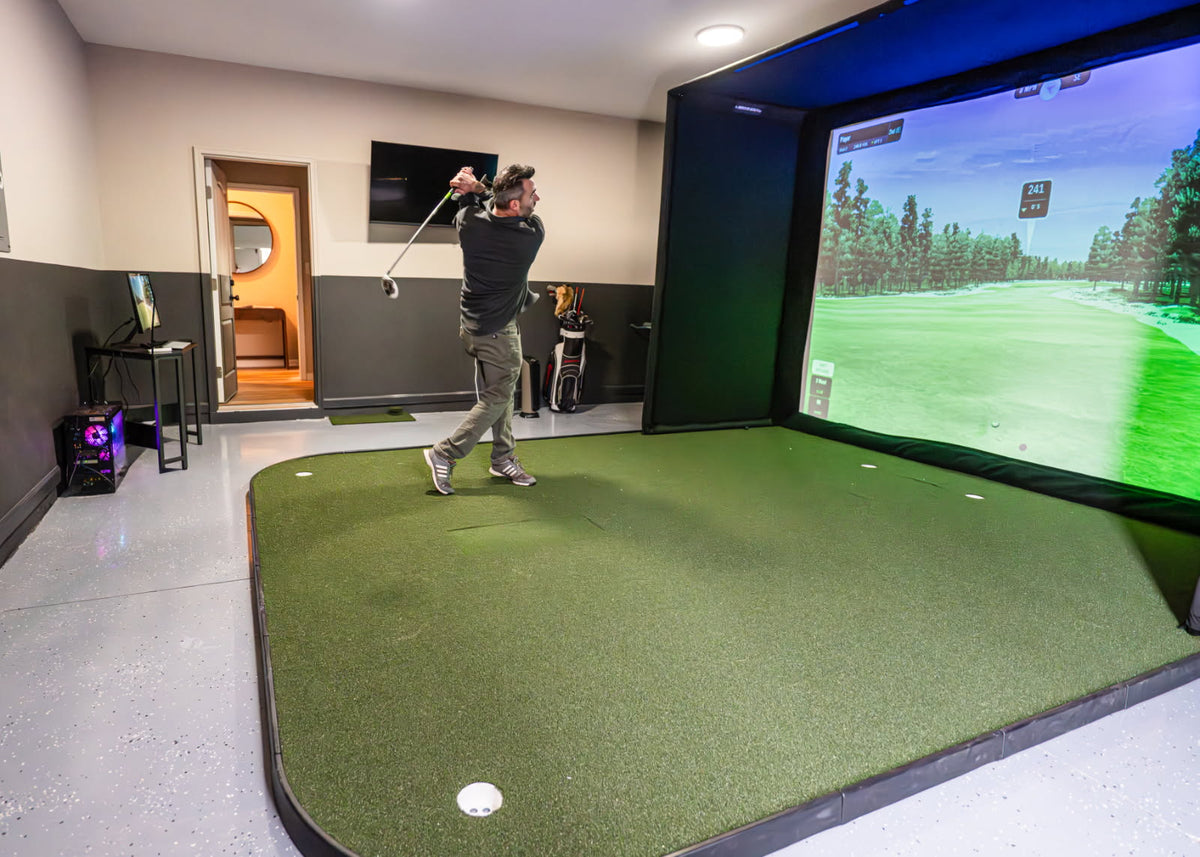
Room at a glance
Do you need a garage to have a golf simulator?
No. Almost any unused space can work as long as it's big enough, including game rooms and dining rooms. We're happy to look at your measurements with you.
How much room do I need for a golf simulator?
We recommend 15' wide, wall to wall, which puts the ball in the center with about 7'6" from the ball to the wall behind each golfer, so righties and lefties can both hit from the same spot.
You can get away with slightly less with a ceiling mounted launch monitor that has a larger hitting zone, like the ProTee VX, whose 21" wide hitting zone lets you offset the ball about 10.5" right or left of center when hitting a driver; in that case a 14' wide room works for most people.
For depth with an enclosure, the minimum is about 6' from the ball to the back of the room plus 10' from the ball to the screen.
For height, 9' is the ideal minimum, since it's what most ceiling launch monitors need and what's typically needed to swing a driver comfortably indoors.
How high a ceiling do I need?
9' is the ideal minimum. Every swing is a little different, so we can't say for certain a ceiling just under 9' will work for you, even if you leave the driver in the bag, and a quick test swing in the space with the clubs you plan to use is the best way to know.
Ceiling mounted launch monitors have their own height requirements too. ProTee recommends mounting the ProTee VX 9' to 10' high, measured from the ceiling where the unit hangs down to the top of your hitting surface, mat or turf included. For any other ceiling mounted launch monitor, check the requirement on its product page, or send us your ceiling height and we'll check it for you.
With a lower ceiling, around 8'4", we'd point you to a launch monitor that sits on the floor beside the ball instead of one that hangs overhead. Measure your ceiling at its lowest point, under any beams or garage door tracks.
How far should the ball be from the screen?
With an enclosure, we'd plan on 10' from the ball to the screen. That comes from needing about 5' from where the enclosure ends so you can comfortably and freely swing a driver without hitting the enclosure on your follow through.
How far off the back wall does the screen go?
We recommend keeping the screen about 1' off the back wall. That gap lets the ball hit the screen without reaching the wall and lets the screen be tensioned properly. The rest of your room depth goes to the hitting area in front of the screen.
Can right and left handed golfers share one setup?
Yes. In a 15' wide room the ball sits in the center with about 7'6" to the wall behind each golfer, so righties and lefties can both hit from the same spot.
What should my electrician wire before the walls close?
For a ceiling mounted ProTee VX, put an outlet in the ceiling where the unit will hang, about 3'6" in front of your ball position, and run a Cat6 ethernet cable from that spot to where your PC will sit.
Put an outlet in the ceiling at the projector spot too, and run at least one HDMI cable from the projector to the PC location (two isn't a bad idea). The PC needs its own outlet, and standard 110V is all you need throughout.
If you're getting a motorized retractable screen, also have an outlet put in up high at the screen's roller tube for the motor.
Do I need an enclosure, or can I frame the screen area myself?
An enclosure isn't required. If you or your contractor frame out the space, we run angle iron or EMT conduit about 1' off the back wall along both side walls and the ceiling, fastened into joists or plywood, and the screen attaches to that frame.
Framing it yourself lets the screen be made to your exact space, with wall and ceiling pads for protection, while an enclosure gives you a finished, all in one look with the side and ceiling protection built in. Either way can look great, and we're happy to price out both routes with you.
Can I put a simulator in a garage that gets hot or cold, or has a lot of light?
Yes, a garage can be a great spot for a simulator, and a little planning goes a long way.
For lighting, a darker room always gives the best picture, so plan to block windows and any bright light that falls on the screen.
For temperature, humidity and condensation, garages can swing hot, cold or damp, so check the manufacturer's operating and storage requirements for your launch monitor, projector and PC before you set them up, and think about where the electronics will live when the space isn't in use. Good ventilation and insulation, and heating or cooling if you need it, help keep the space comfortable and steady year round.
For the floor, a quality hitting mat and turf give you a proper, comfortable hitting surface and a safer, more realistic feel underfoot.
Finally, make sure you have enough room to swing freely: measure your ceiling at its lowest point, under any beams, garage door tracks or openers, and leave plenty of space around the hitting area. We're happy to go over your garage with you.
Equipment
Launch monitors, projectors, PCs and software, and what a full setup needs.
What equipment do I need for a full golf simulator?
A full setup has a launch monitor, a screen or enclosure, a projector, a hitting mat or turf, a PC and golf simulator software. You don't need everything on day one. You don't need a projector or simulator screen to get started, but you do need a net or something safe to hit into.
What is the best affordable home golf simulator, and how much does one cost?
The cost depends on the launch monitor you choose, whether you hit into a net, a screen or a full enclosure, and whether you add a projector, a hitting mat or turf, a PC and software. A simple setup can start with a launch monitor and a net, and you can add the rest later.
Since prices change and every room is different, the best way to get a real number for your space and budget is a free consultation.
Should I get a ceiling mounted or floor launch monitor?
It mostly comes down to your ceiling. An overhead unit like the ProTee VX hangs from the ceiling about 3'6" in front of the ball, at 9' to 10' above the top of your hitting surface, and keeps the floor clear.
With a lower ceiling, around 8'4", a launch monitor that sits on the floor beside the ball, like the Uneekor EYE MINI Lite, the Uneekor EYE MINI or the GOLFJOY Spica 3, doesn't need that height. Send us your ceiling height and we'll help you compare them.
Do I need a 4K projector?
For many setups, we don't always recommend 4K specifically, because the step up in price doesn't always pay off for simulator use, and 1080p or 1200p projectors handle golf simulator software beautifully.
For a setup used mostly for golf, a bright 1080p short throw like the BenQ AH700ST is our standard recommendation, and BenQ's 4K AK700ST is the step up. Where 4K really shows is movies and sports, and if you go that route your PC has to run your golf software at 4K, so we'd check your graphics card first.
Do I need a gaming PC, or can I use an iPad, Mac or laptop?
GSPro needs a Windows 10 or 11 PC, and GSPro says it isn't available for Mac or iOS right now. It also needs a dedicated graphics card, so most everyday laptops won't run it well.
Some launch monitors have apps of their own, so check the product page for yours. We're happy to check a PC you already own, or you can look at the Garage Golf PAR Desktop Package by XOTIC PC.
Does the simulator PC come with a keyboard, mouse and monitor?
No, so plan on them. Most USB or Bluetooth keyboard and mouse combinations work, and we recommend a flat screen TV or monitor with an HDMI input as your primary display, with the projector as the second display.
What golf simulator software do you recommend, and how does a year of GSPro work?
GSPro is the course play software we recommend. When GSPro is part of your order with us, the code we email you is a promo code, not the license key itself. You redeem it on GSPro's website, and GSPro then emails you the activation code to unlock the software.
Your year doesn't start when you buy it; it starts once you enter that activation code, so there's no rush to activate before your setup is ready. If you can't find the code, check your spam folder and let us know, and we'll resend it.
Equipment named in these answers
 ProTee VX Golf Launch MonitorView product
 Uneekor EYE MINI Launch MonitorView product
 GOLFJOY Spica 3 Launch MonitorView product
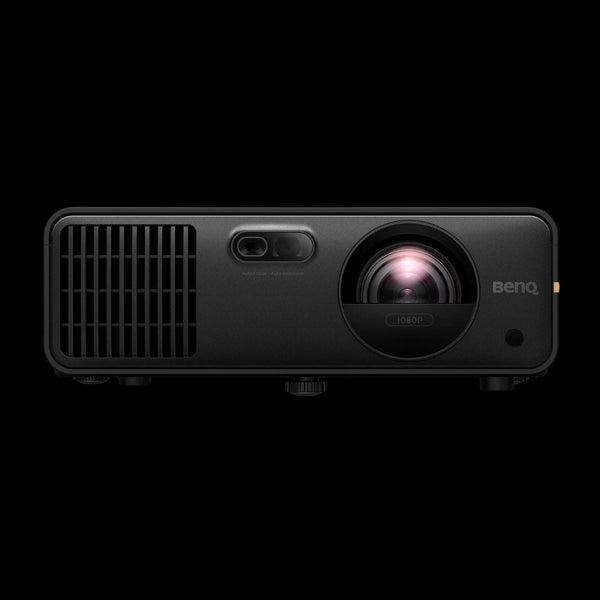 BenQ AH700ST Golf Simulator ProjectorView product
 Garage Golf PAR Desktop Package by XOTIC PCView product
 GSPro Software - One Year SubscriptionView product
Not sure what fits your space? Ask us.
Book a free consultation and we'll go over your room, your goals and the equipment that fits, across every brand we carry.
Ordering, Shipping and Delivery
How your order ships, arrives and gets confirmed.

- 1You place your orderRight on mygaragegolf.com
- 2We confirm everything fitsA short fit confirmation of your room measurements
- 3Each item ships directFrom its manufacturer, so pieces can arrive on different days
- 4Tracking by emailAs each item ships
How long will it take for everything to arrive?
Each product ships on its own directly from its manufacturer, so delivery depends on the item, and pieces of the same order can arrive on different days.
Each product page on mygaragegolf.com lists its estimated shipping timeframe, and you'll get tracking by email as each item ships. Custom made items like enclosures and turf usually take the longest, and some items, like a gaming PC, may need a signature at delivery.
Do you ship to Alaska, Hawaii or Puerto Rico?
Unfortunately our reseller license only permits us to ship to the lower 48 U.S. States currently.
What should I do if something arrives damaged?
Please inspect each item as soon as it's delivered, and don't wait until everything has arrived or until you're ready to build, because many manufacturers only allow a short window to report damage.
If a product or its packaging looks damaged, take clear photos right away and email them to us, and we'll contact the manufacturer for you to go over the options. Once a claim window closes, a replacement or refund may no longer be possible.
Why do you ask me to confirm my room measurements after I order?
Golf simulator equipment ships straight to you from the manufacturer, so before we place your order with them we send a short fit confirmation. It lists your room measurements and each product's size with its page on our site, and asks you to reply confirming everything fits.
As soon as we have your reply, we get your order placed right away. It's there for your protection, so nothing shows up that won't work in your space.
Can I split my order into more than one payment, or pay by ACH?
Yes. We can split your equipment into more than one cart link or draft order so you can pay for it in parts, for example to stay under a card limit or to order the most time sensitive items first.
Each one checks out right on our website, and if you'd rather not pay by card we can also set you up with an ACH or wire transfer. With an ACH payment or wire transfer, we confirm the payment has been received before placing that part of the order, and depending on your bank a normal ACH payment can take a couple of business days to arrive.
Installation and Support
Setting up your simulator, and getting help once it arrives.
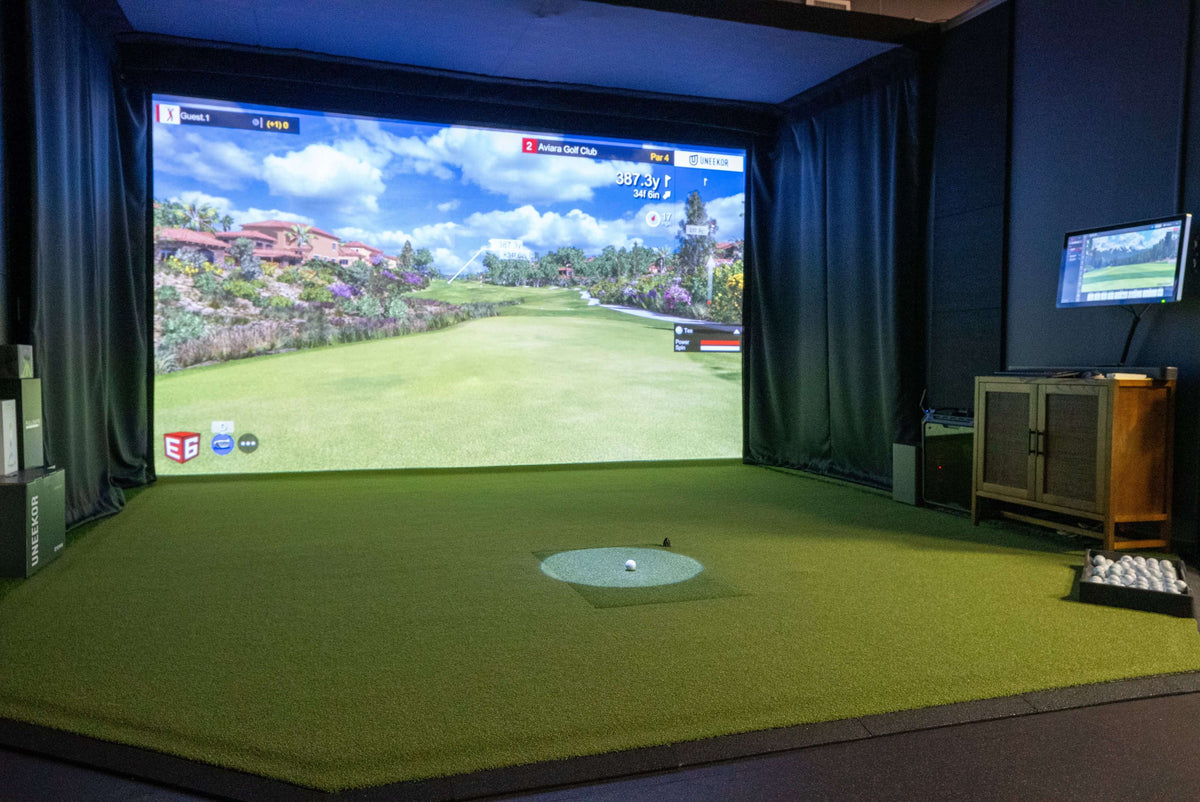
Does Garage Golf physically install the golf simulator or offer installation?
At this time, we are not currently doing the installs directly. Everything ships straight to you from the manufacturer, and most setups are very DIY friendly. Handling the setup yourself typically saves you thousands of dollars, and most of the work can be done by you directly, much of it without needing many tools at all.
You're never on your own, either. We walk you through every part of your setup: where each item goes, how everything goes together, and the exact distances for your launch monitor, projector and the rest of your room. It starts with a free consultation, and after you buy you can book as many 45 minute remote support sessions as you need.
Tech support is free for all of our customers, and we can even install your golf simulator software for you remotely, completely free of charge.
For more elaborate setups, where you want a more custom look, that's where a local general contractor normally comes in to handle the framing, mounting and electrical. We'll walk your contractor through the exact same details we walk you through, so everything ends up exactly where it should.
For those builds, we highly recommend the Garage Golf Build Plan. It's $500, and every dollar is credited back toward your equipment when you buy the products your plan calls for through Garage Golf. You'll find the full details in the Build Plan question under Buying from Garage Golf. See the Garage Golf Build Plan
How do I get help setting everything up after my order?
For quick questions, just give us a call at (210) 876-2002.
For a longer walkthrough, like dialing in your projector or setting up your golf simulator software, you can book a remote tech support session here. It syncs with our calendar so you can pick a time that works, and you're welcome to book as many sessions as you need. Tech support sessions are for customers who purchased their equipment through MyGarageGolf.com.
Where do I find the assembly instructions for my products?
The instructions and manuals for the products we carry are on each product's page on mygaragegolf.com, in the sections you can open below the product description. If something isn't covered or still looks off once it's set up, send us a photo and we'll help you sort it out.
Returns and Warranty
How returns, exchanges and warranty claims work.
Can I return or exchange an item?
It depends on the product. Return eligibility, restocking fees, return shipping costs and other restrictions vary by manufacturer and product, so a fee may apply on some items and not on others.
Every product page on mygaragegolf.com has a return policy section for that product, which is the best place to check before you order, and all returns go through Garage Golf, which handles the request with the manufacturer on your behalf.
Some items can't be returned at all: the ProTee VX is an all sales final product under ProTee's own policy, and custom TruSim screens and pads are made to order with no returns. If you have questions about a specific item, just ask and we'll walk you through it.
Who handles warranty claims?
Warranty coverage comes from the manufacturer. For example, every XOTIC PC desktop is backed by XOTIC PC's Lifetime Parts and Labor limited warranty, and ProTee lists a one year limited warranty on the ProTee VX. Let us know if something isn't working and we'll help point you in the right direction.
Playing and Value
What it's like to play, and what else a simulator can do.
 TruGolf MultiSport ArcadeView product
Can I use my simulator as a home theater?
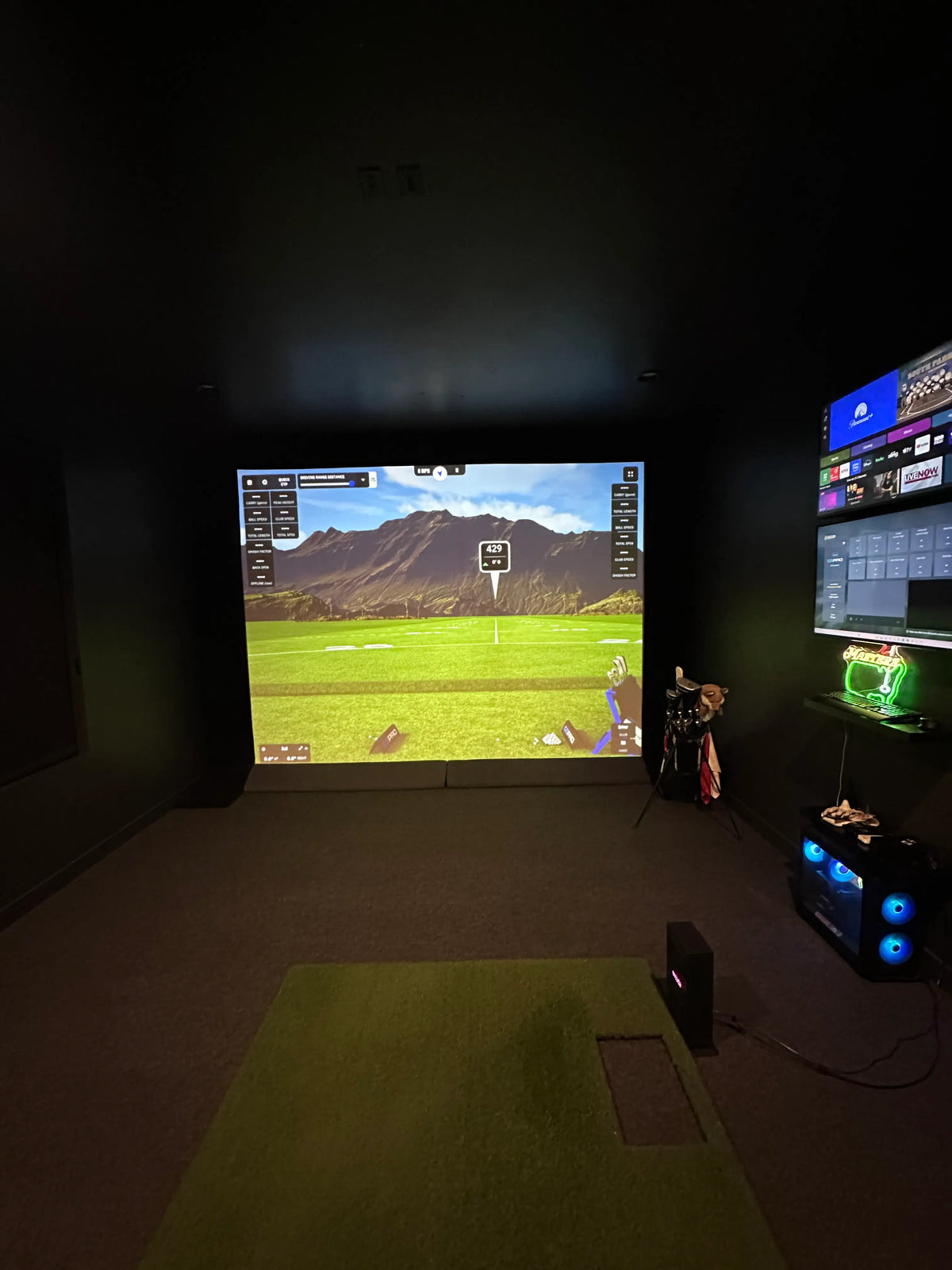
Yes, most setups can, since the projector, screen and PC can play movies, TV and sports too, though some setups need additional equipment and setup. Many clients also add a second TV or monitor so they can watch a game while they play.
How realistic is the golf simulator experience?
Today's launch monitors and course software can be very immersive, and you can even play online with golfers around the world. Like any new setup, it takes a little time to adjust to the technology and to swinging indoors.
Is a golf simulator a good investment?
For many golfers, it's worth it for how much they use it. A simulator lets you practice and play year round, in any weather, whenever it suits you, without driving to the range or booking a tee time.
It's a great way to work on your game and see real data on every shot, and it's just as much fun to enjoy with friends and family, whether that's a full round, a quick game or a get together. It's not a financial investment with a guaranteed return, but some equipment can be resold later if your setup changes.
What else can a home golf simulator do?
Families often use the same screen and projector for movies, TV and sports. Some golf simulator software also includes other sports and games, depending on the software you choose, so let us know what you'd like to play and we'll point you to the right fit. For other sports and games for golfers and non-golfers alike, see the TruGolf MultiSport Arcade question below.
Can non-golfers play other sports on a golf simulator?
Yes! With the TruGolf MultiSport Arcade, your simulator becomes a game room for the whole family, golfers and non-golfers alike. It adds 14 games, including soccer, hockey, baseball, football, basketball, bowling, dodgeball, cornhole and disc golf, and up to 8 players can compete at once.
It's an add-on with its own ceiling mounted sports camera, so it works independently of your golf launch monitor and can be installed in your existing simulator. It needs a minimum 8' ceiling. You can see the TruGolf MultiSport Arcade here.
Can you chip and putt on a golf simulator?
Yes. How well chipping and putting work depends on your launch monitor, your software and the turf you hit and putt on, and we're happy to help you pick a setup that does both well.
How long does it take to play 18 holes on a simulator?
For one person, it's not uncommon to play a round in under 40 minutes. Time goes up with more players, and your software and putting settings also play a part.
Still have a question? We're here to help.
Call or text us at (210) 876-2002, or book a free consultation and we'll walk through your build with you.