


A Short Throw Laser Projector Made for Golf Sim
- 3,600Lumens (ISO 21118)
- 0.521:1Short throw ratio
- 150"Image from under 6 feet
- 30,000 hrDuraCore laser life (Eco)


Optoma ZW351ST-B WXGA Short Throw Laser Golf Simulator Projector
A short throw WXGA laser projector with 3,600 lumens, built for golf simulation and home entertainment.
Optoma designed the ZW351ST-B for golf simulation, home entertainment and other immersive big screen viewing. Its short throw lens keeps the projector closer to the screen and away from the hitting area, which helps reduce shadows, and Optoma says it projects a 150 inch image from less than 6 feet away.
A dedicated Golf Sim Mode tunes color and contrast for simulator courses, Smart Fit uses your phone to align the image automatically, and the DuraCore laser light source is rated for up to 30,000 hours with no lamps to replace.
Key Features
- WXGA resolution (1280 x 800)
- 3,600 lumens
- 0.521:1 short throw lens
- Golf Sim Mode
- Smart Fit auto alignment with the Optoma Smart Control app
- Input lag of 8.4 ms at 1080p 120Hz
- DuraCore laser light source rated for up to 30,000 hours
- 1 year limited projector parts and labor warranty from Optoma


Setup Specs
- Brightness: 3,600 lumens
- Resolution: WXGA
- Native aspect ratio: 16:10
- Screen types: 4:3, 16:9, 16:10, 1:1, Custom
- Throw ratio: 0.521
- Zoom: Fixed
- Projection offset: 112%
- Light source: Laser
- Image size: 30 to 300 in
Throw Distance (16:10 image)
| Screen size | Image width x height | Distance from lens to screen |
|---|---|---|
| 100" | 84.8 x 53.0 in | 3.68 ft (1.12 m) |
| 120" | 101.8 x 63.6 in | 4.42 ft (1.35 m) |
| 150" | 127.2 x 79.5 in | 5.52 ft (1.68 m) |
| 180" | 152.6 x 95.4 in | 6.63 ft (2.02 m) |
| 200" | 169.6 x 106.0 in | 7.36 ft (2.24 m) |
| 250" | 212.0 x 132.5 in | 9.20 ft (2.81 m) |
From the WXGA short throw table in Optoma's ZW351ST-B user manual. Our team is happy to confirm the exact position for your room.

Built for Bright, Accurate Golf Simulation


A Big Picture From a Few Feet Away

Clear, Shadow Free Golf in Ambient Light

Up to 30,000 Hours With No Lamps to Replace
Setup and Control From Your Phone
Brighter, Greener and Built to Last
Over the Air Updates
Firmware updates arrive over your network, so the projector stays current.Compact Size
10.8 x 8.5 x 4.5 inches and 6.25 lbs, easy to place or mount in a tight bay.Low Maintenance
A lamp free laser light source with no bulbs to buy or replace.DuraCore Laser
Consistent brightness and color with instant on and off.IP6X Sealed Optics
A dust resistant, sealed optical engine.Optoma Smart Control
Setup, alignment and everyday control from your iOS or Android phone.Optoma Management Suite
Supported by Optoma's software for managing Optoma displays.24/7 and 360 Degree Operation
Rated for all day use and mounting at any angle, portrait included.
Getting the ZW351ST-B Ready to Play

Plan the Distance
Use the throw table under Technical Specs. A 150 inch 16:10 image needs the lens about 5.5 feet from the screen.

Mount the Projector
Place it on a table or mount it on the ceiling. Optoma rates it for 360 degree operation, and calls for M4 x 10 mm screws with a third party mount.

Connect Your PC
Run an HDMI cable from your simulator PC to one of the two HDMI 1.4 inputs.

Align With Smart Fit
Open the Optoma Smart Control app and let Smart Fit square the image to your screen.

Fine Tune and Play
Finish with keystone or four corner adjustment, then choose Golf Sim Mode.
Finish Your Projector Install
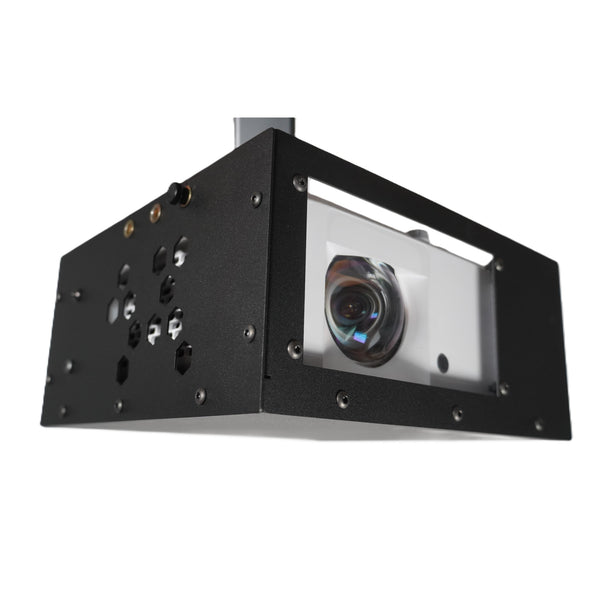
SIMPACT Shield Flexmount
A protective projector shield made to fit the ZW351ST-B.
View Shield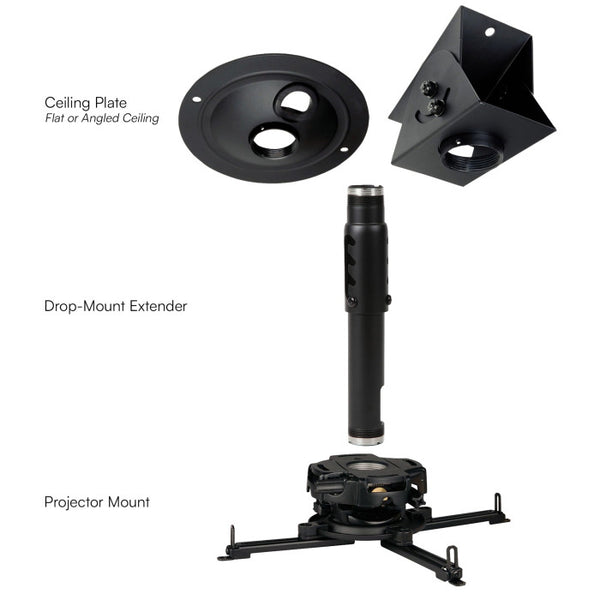
Carl's Place Drop-Mount Projector Mounting Kit
Drops the projector down from the ceiling to the right height for your screen.
View Mount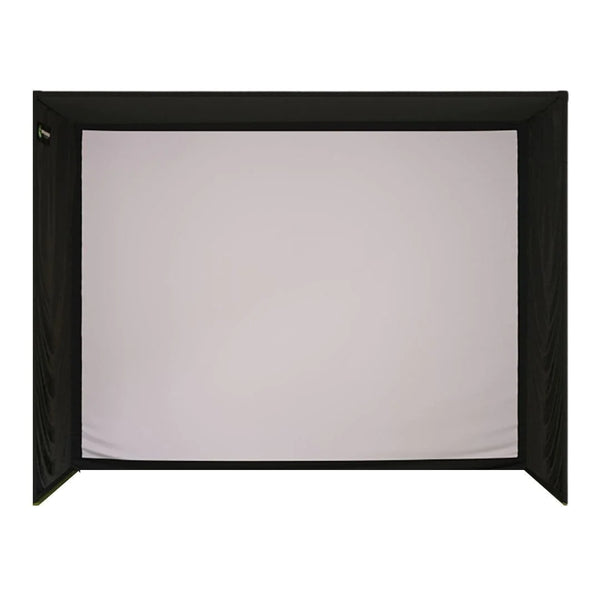
SIG10 Golf Simulator Enclosure
A complete enclosure with an impact screen to project onto.
View Enclosure
Frequently Asked Questions
Two Ways to Get Your Golf Simulator Done Right
 Where Most Builds Start
Free 30-Minute Consultation
Cost: FREE
Talk with our team about your room, your budget and your goals. We'll answer your product questions, walk through how everything can fit in your space and put together a recommended custom cart for your simulator.
Always free. Your consultation and the product recommendations from it are yours to keep, whatever you decide.
 Take It One Step Further
Garage Golf Build Plan
Cost: $500.00 (credited back at purchase)
Exact placement of every physical item in your custom cart, including your screen, launch monitor and projector, plus every outlet, Cat6 and HDMI run, in drawings and a rough-in plan you can hand straight to your contractor.
Your full $500 is credited back when you buy the equipment your plan calls for through Garage Golf within 6 months.
Product title
$19.99 | $24.99
Product title
$19.99 | $24.99
Product title
$19.99 | $24.99
Product title
$19.99 | $24.99
