Uneekor EYE MINI Lite Launch Monitor

$1,699.00 $1,999.00 Save $300

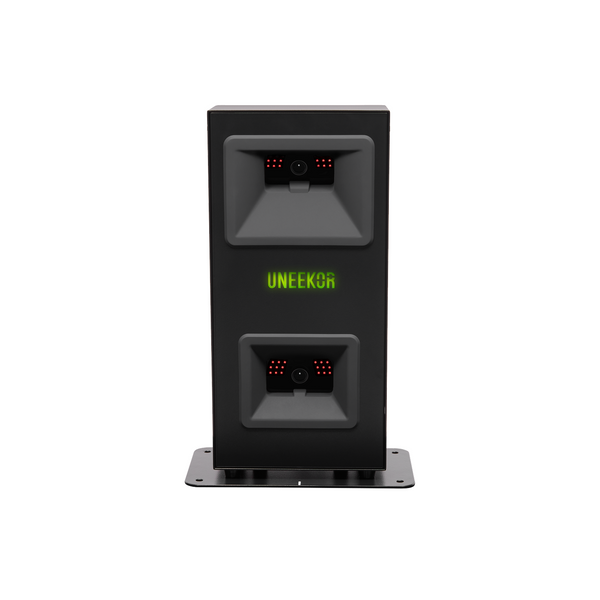
The Uneekor EYE MINI LITE is a camera based launch monitor built for a dedicated indoor golf simulator. Two high speed photometric infrared cameras read 19 data points on every shot, 15 ball data points and 4 club data points, from a 12" x 8" hitting zone with 0.02 millisecond latency.

Dimple Optix® reads the dimples on the ball you already play, so no marked balls are needed. With Uneekor's club stickers on your clubs (included in the box), you also get club speed, club path, smash factor and attack angle, and Club Optix® adds high speed impact video of the club and ball through contact.

The EYE MINI LITE is a fixed ground unit that stays connected to your PC by ethernet, so it is set up and ready every time you step in to hit. It comes with Uneekor's Player package and works with third party simulator software, which makes it a strong fit for a home simulator room where you don't need a portable launch monitor.

📦 This product qualifies for Free Shipping. Item(s) will be drop shipped directly to you from our partner vendors. Shipping times may vary depending on product availability and all items may not ship together or at the same time. Please note: if the product features add-ons that can be selected, certain options may come with their own shipping charge. You’ll be notified prior to checkout of any shipping expenses if applicable.

Estimated Shipping Timeframe: Item normally ships in 5-7 business days from payment date.*

*Estimated shipping timeframes are subject to change based upon vendor product availability. Ship times are set by the product vendor and are subject to change without notice. Package items may ship separately and arrive on different days.

Uneekor EYE MINI LITE

Uneekor Camera Data for Your Home Simulator

The EYE MINI LITE sits on the floor beside the ball and connects to your PC by ethernet. Dual high speed cameras, Dimple Optix® and Club Optix® give you both the numbers and the impact video to understand every strike.

  • 19Ball and club data points
  • 2High speed cameras
  • 0.02 msLatency
  • 12" x 8"Hitting area
Uneekor EYE MINI LITE launch monitor
Uneekor Black Friday Offer

Claim Your Free Year of GSPro

Buy a new EYE MINI LITE from Garage Golf November 2 through December 15, 2026 and get a 1 year GSPro Standard membership from Uneekor (United States and Canada). Register by December 31, 2026.

Download the Claim Guide (PDF)
How to Claim

3 Steps to Your Free GSPro Year

  1. Laptop showing the Uneekor EYE MINI LITE registered in the Uneekor Launcher

    Register Your EYE MINI LITE

    Set up your launch monitor and register it in the Uneekor Launcher by December 31, 2026, or Uneekor will not provide the free GSPro year.

  2. Submit Your Claim

    Sign in at my.uneekor.com, open Promotional Claim and upload the Garage Golf receipt we email you after purchase. It must show the purchase date, seller, model and order number.

    Go to MyUneekor
  3. Email envelope with a GSPro promo code from Uneekor

    Redeem Your GSPro Code

    Uneekor emails you a GSPro code. Redeem it on the GSPro x Uneekor Bundle checkout linked in that email. A payment method is required, but nothing is charged when the code is applied.

Good to Know

Uneekor's Offer Requirements

  • Set by Uneekor

    These steps and the December 31, 2026 deadline are Uneekor's requirements. Garage Golf cannot submit the claim for you or extend the deadline.
  • GSPro Only

    This offer includes GSPro only. A Uneekor Pro membership or higher is required to play GSPro on the EYE MINI LITE. Your GSPro year starts when you redeem the code and renews at GSPro's then current price unless you cancel with GSPro.
Golfer hitting in an indoor golf simulator with a Uneekor ground launch monitor
Set It and Play

Built for Dedicated Indoor Use

Uneekor designed the EYE MINI LITE as a fixed ground unit with a stable ethernet connection, so your simulator space stays consistent, connected and ready whenever you are. Uneekor lists it for indoor use only.

Uneekor Club Optix impact video showing club and ball at impact
Sample Uneekor Club Optix screen. Data shown varies by launch monitor.
Club Optix®

See Impact, Not Just Numbers

Club Optix® records high speed video of the club and ball through contact, so you can see your strike, your delivery and the shot it produced, right next to your data.

Uneekor shot data screen with club speed, ball speed and smash factor
Club Data

4 Club Data Points That Matter

Club speed, smash factor, club path and attack angle sit alongside 15 ball data points, so you can see the delivery behind each shot and practice with more purpose. Club data needs Uneekor's club stickers, which come in the box.

Uneekor Technology

The Technology Behind Every Shot

How the EYE MINI LITE reads the ball and the club on every swing.

  • Uneekor Dimple Optix reading golf ball dimples at impact
    Ball Data

    Dimple Optix®: Play the Ball You Trust

  • Uneekor Club Optix club and ball impact view
    Club Data

    Club Optix®: Visual Proof at Impact

  • Uneekor EYE MINI Lite Front View
    Speed

    Instant Shot Detection

Uneekor EYE MINI Lite Front View

The Uneekor EYE MINI LITE is a camera based ground launch monitor built for a dedicated indoor simulator room. It sits on the floor beside the ball, connects to your Windows PC by ethernet, and uses two high speed photometric infrared cameras to read 19 ball and club data points on every shot.

Dimple Optix® reads the dimples on the ball you already play, so no marked balls are needed, and Club Optix® adds high speed impact video so you can see your strike, club delivery and the shot it produced. With Uneekor's club stickers on your clubs, you also get club speed, smash factor, club path and attack angle.

Uneekor designed the EYE MINI LITE as a fixed unit that stays connected and ready, which makes it a strong fit for golfers building a home simulator who want Uneekor camera data without paying for portability they won't use. The Garage Golf team can help you confirm your space, your PC and the right setup during a free consultation.

Uneekor EYE MINI Lite Side View

Uneekor lists the following in the box with the EYE MINI LITE:

  • EYE MINI LITE unit
  • QR code quick start guide
  • Tweezers
  • Club stickers
  • 8.5 ft power cable and adapter
  • Ethernet to USB-A adapter
  • Ethernet LAN CAT-6 cable
Uneekor shot data screen with club speed, ball speed and smash factor

EYE MINI LITE DATA TRACKING

The EYE MINI Lite has the ability to track both ball & club data. Tracking the same metrics as the EYE MINI but instead of the on unit display, the MINI Lite utilizes the gaming pc to show the data.

Ball Data: 

  • Ball Speed
  • Side Spin
  • Back Spin
  • Side Angle
  • Side Distance
  • Side Total
  • Launch Angle
  • Carry Distance
  • Total Distance
  • Angle of Descent
  • Flight Time
  • Spin Axis
  • Distance to Apex
  • Apex
  • Roll Distance


Club Data (EYE MINI club Stickers Required): 

  • Club Speed
  • Attack Angle
  • Smash Factor
  • Club Path

Every Uneekor launch monitor comes with Uneekor's free Player membership. Uneekor also offers paid annual memberships, and its new Plus memberships bundle a Uneekor membership with a one year GSPro subscription:

  • Pro+ ($299/year): Pro membership plus one year of GSPro.
  • Champion+ ($499/year): Champion membership, AI Trainer and one year of GSPro.
  • Ultimate+ ($699/year): Ultimate membership, GAMEDAY, AI Trainer and one year of GSPro.

Standard memberships are also available: Pro ($199/year), Champion ($399/year) and Ultimate ($599/year).

GSPro from Garage Golf: GSPro can also be purchased separately from a Uneekor membership, and you can add it with your order from Garage Golf.

Early Black Friday: Pro+ memberships purchased on uneekor.com November 2 through December 15, 2026 also include one year of AI Trainer at no additional cost. AI Trainer requires Swing Optix cameras.

Free Year of GSPro with the EYE MINI LITE: EYE MINI LITE purchases made November 2 through December 15, 2026, including purchases from participating retailers, include a 1 year GSPro Standard membership. A Uneekor membership is not included, and a Pro membership or higher is needed to play GSPro on the launch monitor. To claim it:

  • Register the launch monitor in the Uneekor Launcher by December 31, 2026.
  • Sign in to MyUneekor, open Promotional Claim, select Claim Now, choose Black Friday and your device, then select Check Eligibility.
  • Enter the serial number, purchase date and store name.
  • Upload proof of purchase showing the purchase date, seller, model and order number.
  • Once approved, Uneekor emails the GSPro code and redemption link.

Uneekor memberships cannot be switched mid term, and software purchases are non-refundable. The Garage Golf team is happy to walk you through membership options and setup during your consultation.

Uneekor EYE MINI LITE launch monitor

Uneekor's specifications for the EYE MINI LITE, from its product page and product guide.

SpecEYE MINI LITE
MountingGround, floor standing
Sensor2 high speed photometric infrared cameras
Data points19 (15 ball, 4 club)
Club trackingClub Optix®, club stickers for club data
Hitting area12" L x 8" W
Physical size13.9" H x 4.7" W x 8.6" L
Weight8.4 lbs
PC requiredYes (Windows)
ConnectionEthernet, 1 Gbps LAN, CAT6
PowerIncluded adapter, 100 to 240V AC, 50 to 60 Hz
Ball speed rangeDriver and irons 11 to 223 mph; putter 0.22 to 67 mph
Back spinUp to 12,000 rpm
Launch angleDriver -5° to 50°; irons 0.1° to 80°
Golf ballAny
Latency0.02 ms
Trouble mat compatibleNo
3rd party softwareYes
PortableNo
Warranty1 year

Specs from Uneekor's EYE MINI LITE product page and product guide, read November 9, 2026.

PC (Uneekor's recommended specification)

  • Operating system: Windows 11 Home or Pro (latest version)
  • Processor: Intel Core i7 (12th Gen or later) or AMD Ryzen 7 (5000 Series or later)
  • RAM: 32 GB or more
  • Graphics card: NVIDIA RTX 4070 Ti or equivalent
  • Graphics memory: 16 GB (VIEW and AI Trainer only)
  • Dedicated Ethernet ports: 2 (one required for the launch monitor, one for optional hard wired internet)
  • Internet download speed: 25 Mbps or higher

Uneekor states the recommended PC specification is mandatory for data intensive products like AI Trainer.

Uneekor EYE MINI LITE product guide cover

Uneekor's EYE MINI LITE product guide covers what's in the box, safety, placement and alignment, quick setup, club sticker placement and technical specifications.

Download the Uneekor EYE MINI LITE Product Guide (PDF)

All returns and exchanges for Uneekor products must be processed directly through Garage Golf and approved by Garage Golf before anything is sent back. Please do not contact Uneekor directly, as this may delay your return.

To initiate a return, email us at contact@mygaragegolf.com.

Return Window

A new Uneekor launch monitor and its base level software may be returned within 15 days after license activation or 60 days after receipt, whichever comes first. If a return is not requested within that window, the product is considered accepted.

Software

Paid software, software licenses and software subscriptions are non-refundable.

Condition Requirements

Unless Uneekor approves otherwise, returned items must be unused, in like new condition, and include:

  • Original packaging
  • All original accessories and components
  • All manuals and documentation

A return that arrives damaged, incomplete or showing signs of misuse may be refused or charged an additional restocking fee at Uneekor's discretion.

Restocking Fee and Shipping

Authorized returns are subject to a 15% restocking fee from Uneekor. Original shipping and delivery charges are non-refundable.

Damaged or Defective Items

If your Uneekor product arrives damaged or defective, contact Garage Golf at contact@mygaragegolf.com within 48 hours of delivery. Damage claims made after that may not qualify for a refund or replacement. We will report it to Uneekor right away and let you know the next steps.

How to Initiate a Return

  1. Email contact@mygaragegolf.com with your order number and the reason for your return.
  2. Our team will confirm with Uneekor that the item qualifies, then send you return instructions and, when applicable, a prepaid shipping label.
  3. Pack the item securely in its original packaging with all accessories.
  4. Ship it back using the instructions provided.

Refunds

Refunds are processed after Uneekor receives and inspects the returned item. Once Garage Golf has been refunded for the purchase, we will in turn refund you to your original payment method.

Warranty

This product is covered by Uneekor's 1 year warranty. For any warranty claim, contact Garage Golf at contact@mygaragegolf.com and we will help you through the process.

Setup

From the Box to Your First Shot

Uneekor's setup guide in 6 steps. Have your PC ready first; Uneekor's recommended PC specs are in the System Requirements section above.

  1. Uneekor EYE MINI LITE set up parallel to the target line

    Align It Parallel

    Set the EYE MINI LITE up parallel to your target line. Uneekor's guide says not to aim the unit directly at your target.

  2. Uneekor EYE MINI LITE hitting zone diagram

    Keep the Ball in the Hitting Zone

    Place the ball in the hitting zone in front of the unit. The Uneekor logo on the front turns green when the ball is in the zone and the unit is ready.

  3. Uneekor EYE MINI LITE level with the hitting surface

    Level It With the Hitting Surface

    Set the unit on a level, secure surface even with your hitting surface. Its inclination sensor handles small adjustments.

  4. Uneekor EYE MINI LITE launch monitor front view

    Connect Power and Your PC

    Plug the included power cable into the EYE MINI LITE, then run the included CAT6 ethernet cable from the unit to your PC.

  5. Uneekor EYE MINI LITE product guide cover

    Install Uneekor's Software

    Create your Uneekor account at my.uneekor.com, open the Uneekor Launcher, choose Install and select EYE MINI LITE. The Install Wizard walks you through your license key, calibration and a test shot.

  6. Uneekor EYE MINI LITE club sticker placement on driver, wood and iron

    Apply Club Stickers

    For club data, place a sticker 1 inch in from the toe on drivers, woods and hybrids, and on the toe side 7 grooves up on irons, on the smooth part of the face.

Before You Play

Set Up for Accurate Reads

Uneekor's own notes for getting the most from the EYE MINI LITE.

  • Indoors Only

    Uneekor designed the EYE MINI LITE for indoor use. Keep it away from water, high humidity, smoke and dust.
  • Room to Swing

    Make sure you have enough space to swing a driver safely, and protect your space from ricocheting golf balls.
  • Club Stickers for Club Data

    Club speed, smash factor, club path and attack angle need Uneekor's club stickers. Ball data works without them.
  • A PC Is Required

    The EYE MINI LITE connects to a Windows PC by ethernet. Uneekor's recommended PC specs are in the System Requirements section above.
Quick Specs

EYE MINI LITE by the Numbers

  • Ball and club data points19
  • Hitting area12" L x 8" W
  • Unit size13.9" H x 4.7" W x 8.6" L
  • Weight8.4 lbs
  • PlacementGround
  • ConnectionEthernet to PC
  • Latency0.02 ms
  • No marked balls neededAny golf ball
  • Warranty1 year
Getting Ready

What Comes With It, and What You'll Need

In the Box

  • EYE MINI LITE unit
  • QR code quick start guide
  • Tweezers
  • Club stickers
  • 8.5 ft power cable and adapter
  • Ethernet to USB-A adapter
  • Ethernet LAN CAT-6 cable

You Supply

  • Windows 11 PC that meets Uneekor's recommended specs
  • A dedicated ethernet port for the launch monitor
  • Internet download speed of 25 Mbps or higher
  • Enough indoor space to swing a driver safely
Uneekor GAMEDAY Course Play

World Class Courses Whenever You Want to Play

GAMEDAY brings a growing library of championship venues and hidden gems to your simulator. It is included with Uneekor's Ultimate membership or available on its own for $199 per year, and it needs two displays.

Belle Selva, Japan, a Uneekor GAMEDAY course

Japan

Uneekor Memberships

Choose the Membership That Fits Your Game

Every Uneekor launch monitor includes Uneekor's free Player membership, so you're ready to go from day one. For more features, deeper insights and course play, you can add an optional membership upgrade. Membership upgrades are software subscriptions purchased and billed annually through Uneekor, and the Garage Golf team is happy to walk you through the options and help you choose the right one during your consultation.

  • Player

    Uneekor's core training tools, so you can simply focus on your game.

    FreeComes with every Uneekor launch monitor.

    Included

    • Ball data and club data
    • VIEW virtual driving range
    • Power U reports (100)
    • Single profile
  • Pro

    Opens up third party software and a set of world class courses to explore.

    $199Per year, billed annually by Uneekor.

    Everything in Player, plus:

    • Third party software
    • Refine (5 courses)
    • Power U reports (500)
    • 5 profiles
  • New

    Pro+

    Everything in Pro with a full year of GSPro included.

    $299Per year, billed annually by Uneekor.

    Everything in Pro, plus:

    • GSPro (1 year subscription included)
    Early Black Friday: Pro+ bought November 2 through December 15, 2026 includes 1 year of AI Trainer. Swing Optix® cameras required to use AI Trainer.
  • Champion

    Adds Uneekor's AI Trainer and more courses to take your game to the next level.

    $399Per year, billed annually by Uneekor.

    Everything in Pro, plus:

    • AI Trainer
    • Refine+ (20 courses)
    • Power U reports (1,000)
    • 50 profiles
    Swing Optix® cameras required to use AI Trainer.
  • New

    Champion+

    Pairs a full year of GSPro with AI Trainer, a personal coach for every swing.

    $499Per year, billed annually by Uneekor.

    Everything in Champion, plus:

    • GSPro (1 year subscription included)
    Swing Optix® cameras required to use AI Trainer.
  • Ultimate

    Full GAMEDAY access with no limits, so you can reach your full potential.

    $599Per year, billed annually by Uneekor.

    Everything in Champion, plus:

    • GAMEDAY
    • 100 profiles
    Two displays required for GAMEDAY.
  • New

    Ultimate+

    Everything in Ultimate, AI Trainer included, plus a full year of GSPro.

    $699Per year, billed annually by Uneekor.

    Everything in Ultimate, plus:

    • GSPro (1 year subscription included)
    Two displays required for GAMEDAY.
Product Comparison

Compare the Uneekor EYE MINI and EYE MINI Lite

See the specs, ball data and club data side by side to find the Uneekor launch monitor that fits your space and your game. Specs are provided by Uneekor and are subject to change.

EYE MINI Lite

EYE MINI Lite

Built for a dedicated indoor setup, with two high speed cameras, 19 data points, Club Optix impact video and Dimple Optix dimple reading, so you see both the numbers and the strike behind them.

$1,699.00$1,999.00

Technical Parameters

Physical Size 13.9" H x 4.7" W x 8.6" L
Weight 8.4 lbs
Hitting Area 12" L x 8" W
Type Ground
Portable No
3rd Party Connector Yes

Ball Data

Ball Speed Yes
Launch Angle Yes
Side Angle Yes
Back Spin Yes
Side Spin Yes
Spin Axis Yes

Club Data

Club Path Yes
Club Speed Yes
Smash Factor Yes
Impact Point No
Face Angle No
Attack Angle Yes

Ball Data

Ball Speed

How fast the ball is moving right after it leaves the clubface.

Launch Angle

The vertical angle the ball takes off at, measured from the ground.

Side Angle

The starting direction of the ball, left or right of the target line.

Back Spin

How much the ball rotates backward after impact, which shapes its height, carry and how quickly it stops.

Side Spin

The sideways spin on the ball that bends its flight left or right.

Spin Axis

How far the ball's spin is tilted, which sets how much and which way the shot curves.

Ball Flight Type

A label for the shot's starting direction and its overall shape.

Carry Distance

How far the ball flies through the air before it lands.

Run

How far the ball rolls along the ground after it lands.

Total Distance

Carry plus run, the full distance the ball travels.

Apex

The highest point the ball reaches in flight.

Distance to Apex

How far forward the ball has traveled when it reaches its highest point.

Flight Time

How long the ball stays in the air, from impact until it lands.

Angle of Descent

How steeply the ball comes down after its highest point.

Side Total

How far left or right of the target line the ball finishes.

Club Data

Club Path

The direction the clubhead travels through impact, compared with the target line.

Club Speed

How fast the clubhead is moving at impact.

Smash Factor

Ball speed divided by club speed, showing how well the club's energy is passed to the ball.

Impact Point

Where on the clubface the ball is struck, measured up and down and side to side from the center.

Face Angle

Where the clubface is pointing at impact, compared with the target line.

Attack Angle

Whether the clubhead is moving up or down into the ball at impact, and by how much.

Face to Path

The gap between where the face points and where the club travels at impact, which shapes where the ball starts and how it curves.

Dynamic Loft

The actual loft the clubface delivers to the ball at impact.

Club Lie Angle

The angle of the shaft to the ground at impact, which can affect the direction of the shot.

Complete the Setup

Build Your EYE MINI LITE Simulator

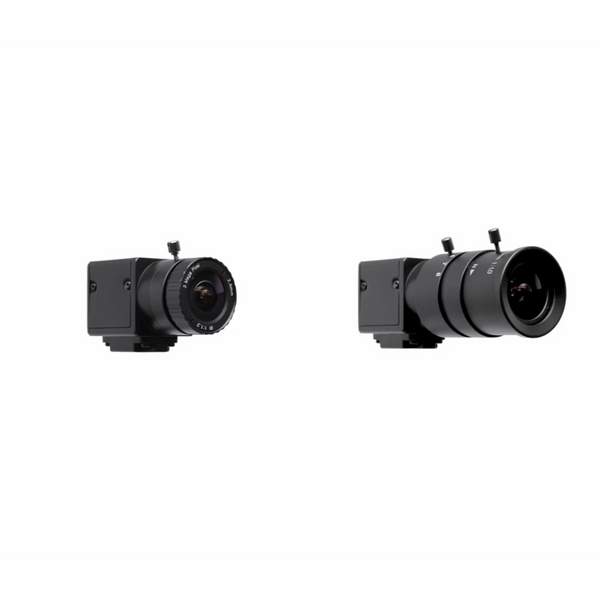
The rest of the bay, from the enclosure and mat to the projector, PC, software and swing cameras.

  1. Uneekor Swing Optix Cameras

    Uneekor Swing Optix Cameras

    Uneekor's swing cameras, needed for AI Trainer.

    Shop Now
  2. GSPro Software - One Year Subscription

    GSPro Software

    One year of GSPro golf simulator software.

    Shop Now
  3. Garage Golf PAR Desktop Package by XOTIC PC

    Garage Golf PAR Desktop by XOTIC PC

    A Windows desktop to run your simulator software.

    Shop Now
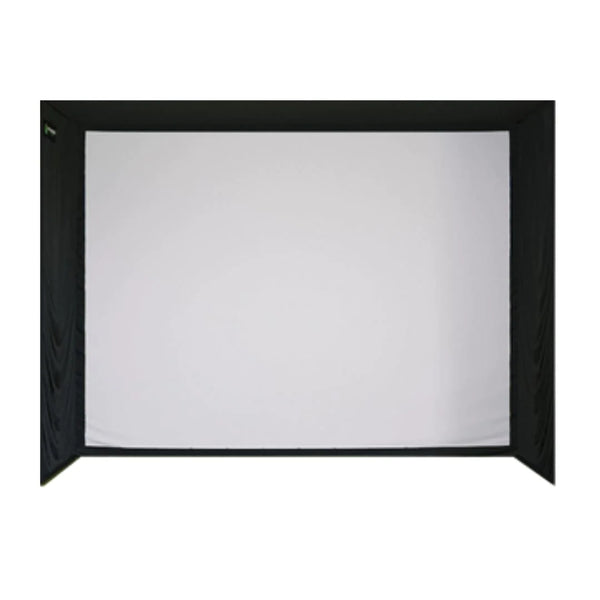
  4. SIG12 Golf Simulator Enclosure

    SIG12 Golf Simulator Enclosure

    A full golf simulator enclosure for your hitting bay.

    Shop Now
  5. SIGPRO Super Softy 4x9 Golf Mat

    SIGPRO Super Softy 4x9 Golf Mat

    A 4' x 9' hitting mat for your simulator bay.

    Shop Now
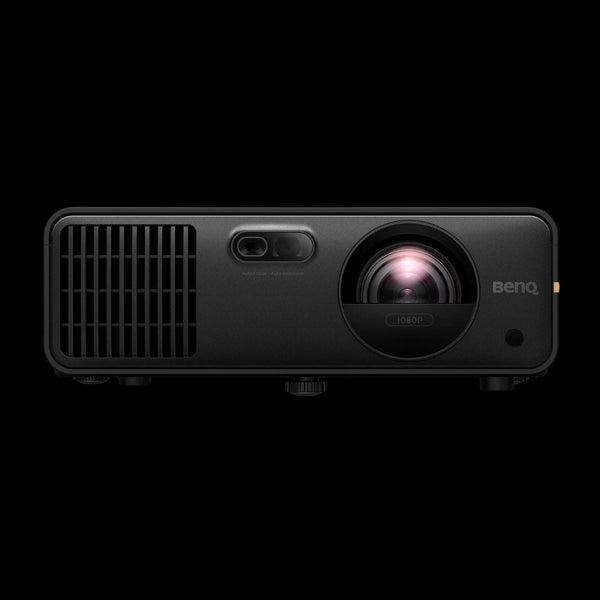
  6. BenQ AH700ST Golf Simulator Projector

    BenQ AH700ST Golf Simulator Projector

    A short throw golf simulator projector from BenQ.

    Shop Now
The Bottom Line

Uneekor Camera Data, Set Up and Ready to Play

The EYE MINI LITE pairs dual high speed cameras, Dimple Optix® and Club Optix® in a fixed ground unit built to stay set up in your simulator room.

Product Videos

Watch Our Full Review On The Uneekor EYE MINI LITE

Take A Look At How To Use The EYE MINI Lite With Both The Balance Optix Mat As Well As The Swing Optix Cameras

Uneekor Gameday Beta Review

Uneekor AI Trainer & VIEW – Full Review & Features Breakdown!

Uneekor AIMY Software

Frequently Asked Questions

Yes, the EYE MINI LITE needs a software package. Uneekor includes its Player package with every Uneekor launch monitor, which covers the essentials to get started. Features such as REFINE, AI Trainer and GAMEDAY need a membership upgrade.

Yes. Uneekor states the EYE MINI LITE is fully compatible with AI Trainer. AI Trainer in Uneekor's VIEW software needs Uneekor's Swing Optix® cameras, which are sold separately.

Yes. Uneekor lists a PC as required for the EYE MINI LITE, connected to the unit by the included CAT6 ethernet cable. Uneekor's recommended PC specification is in the System Requirements section above.

Yes. Uneekor lists the EYE MINI LITE as compatible with third party software. To play GSPro on the launch monitor, Uneekor requires its Pro membership or higher.

No. Uneekor lists the EYE MINI LITE as not portable and designed for indoor use only. It is a fixed ground unit that stays connected to your PC by ethernet in your simulator space.

No marked balls are needed. Dimple Optix® reads the dimples on the ball you already play. Club stickers are only needed for club data (club speed, smash factor, club path and attack angle), and Uneekor includes club stickers in the box.

Both read the same 15 ball data points and 4 club data points from a 12" x 8" hitting area with 0.02 ms latency. Uneekor lists the EYE MINI as portable and compatible with PC, Android and iOS, while the EYE MINI LITE is a fixed indoor unit that works with a PC. The full side by side is in the EYE MINI LITE vs EYE MINI section above.

Uneekor asks that you have enough indoor space to swing a driver safely. The unit itself is 13.9" H x 4.7" W x 8.6" L and sits on the floor beside the ball, parallel to your target line. Our team can check your room dimensions during a free consultation.

The Uneekor logo on the front of the unit turns green when the ball is inside the hitting zone and the EYE MINI LITE is ready to read your shot.

This product is covered by Uneekor's 1 year warranty. For any warranty claim, contact Garage Golf at contact@mygaragegolf.com and we will help you through the process.

One Team

Two Ways to Get Your Golf Simulator Done Right

  • A Garage Golf video consultation with a homeowner planning a golf simulator room
    Where Most Builds Start

    Free 30-Minute Consultation

    Cost: FREE

    Talk with our team about your room, your budget and your goals. We'll answer your product questions, walk through how everything can fit in your space and put together a recommended custom cart for your simulator.

    Always free. Your consultation and the product recommendations from it are yours to keep, whatever you decide.

  • Sample pages from a custom Garage Golf Build Plan, details blurred
    Take It One Step Further

    Garage Golf Build Plan

    Cost: $500.00 (credited back at purchase)

    Exact placement of every physical item in your custom cart, including your screen, launch monitor and projector, plus every outlet, Cat6 and HDMI run, in drawings and a rough-in plan you can hand straight to your contractor.

    Your full $500 is credited back when you buy the equipment your plan calls for through Garage Golf within 6 months.

Expert Product
Recommendations

Continuous Customer
Support

No sales pitches, just
honest advice

Uneekor EYE MINI Lite Launch Monitor

Uneekor EYE MINI Uneekor EYE MINI Lite Launch Monitor

$1,699.00 $1,999.00